
Creating Payloads
Workflow
Creating payloads in RigLab can be summarized in three steps. First, you define your primary volume. Next, you define and locate your lift points. Then you add additional volumes as needed to capture the important features of the payload. Additional volumes such as nozzles and saddles are created with a dedicated user interface.
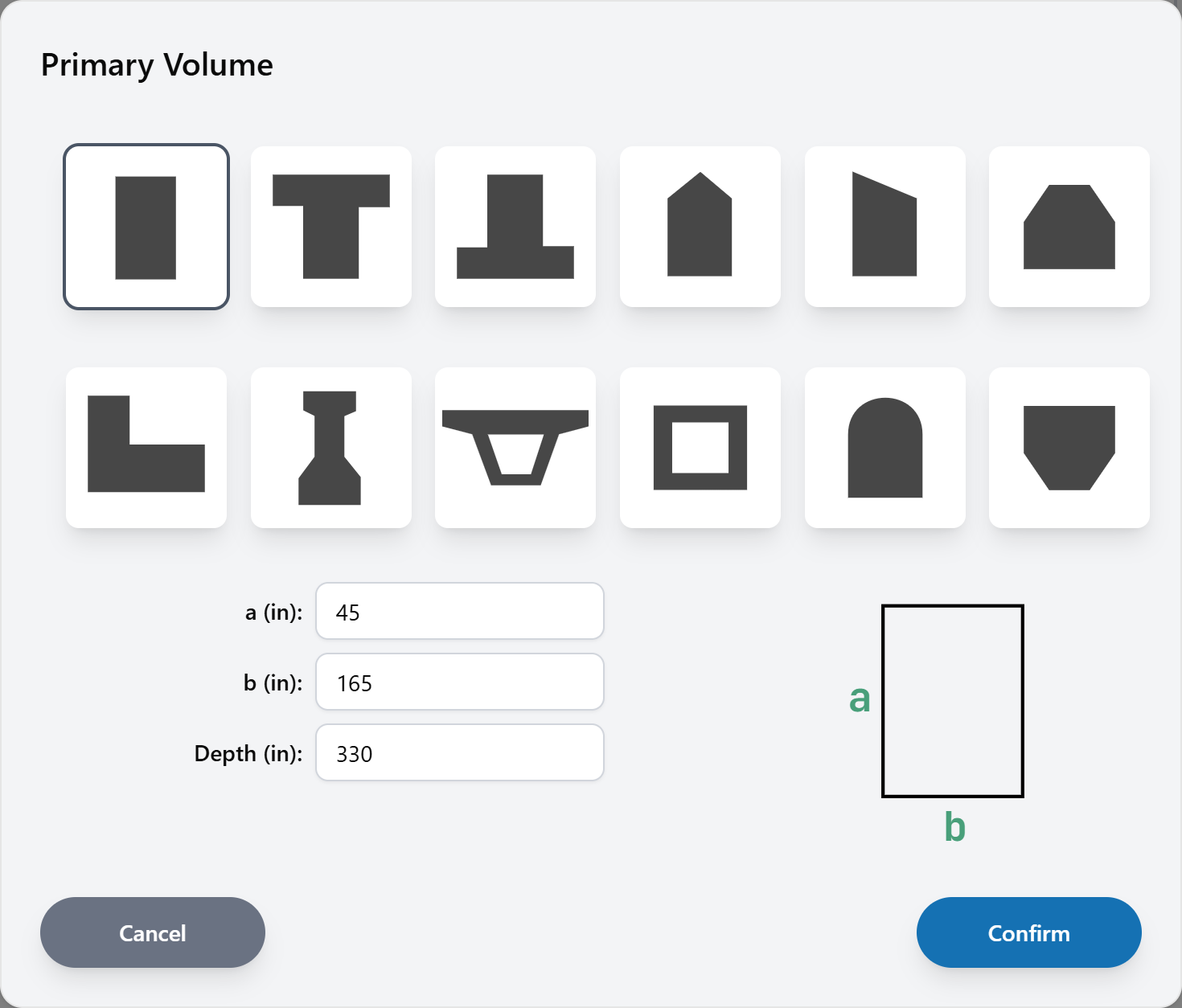
Payload Types
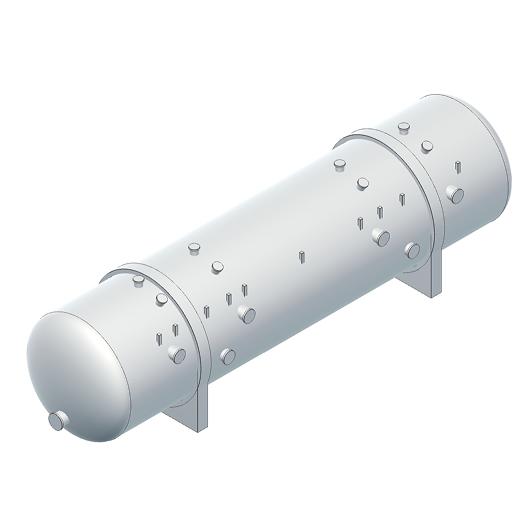
There are two different types of payloads in RigLab: Prismatic and Cylindrical. Each type of payload has its own dedicated user interface to make 3D modeling easier.
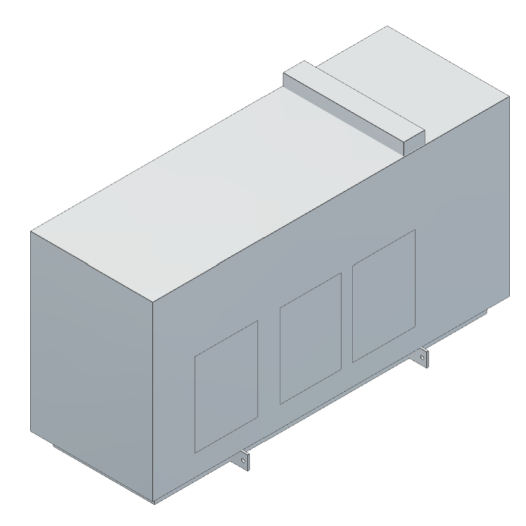
Prismatic
Cylindrical
Building Custom Spreaders
Users can create their own custom spreader beams that are saved in their RigLab account. Once created, these spreaders are reusable for future rigging configurations.
Configurable Rigging
Rigging Model Workflow
To begin, select a rigging configuration shape, then a rigging model is generated with transparent temporary rigging elements. Hover over any of the rigging elements to see them highlight and click to replace the temporary elements with your desired rigging. Repeat this process until you have selected all of your rigging.
Rigging Selection
RigLab handles all 3D modeling when configuring rigging. As you choose specific rigging components, the model updates automatically. Hovering over any of the rigging elements will highlight the element, and clicking it will allow you to edit. Swap out different types of hardware or change sling lengths, and watch the model update. For example, you can click on an end cap spreader to change its length, or click a multi hole spreader to change holes. A summary panel in the bottom right displays important heights and weights as you make adjustments to the rigging configuration.
Compare Rigging Options
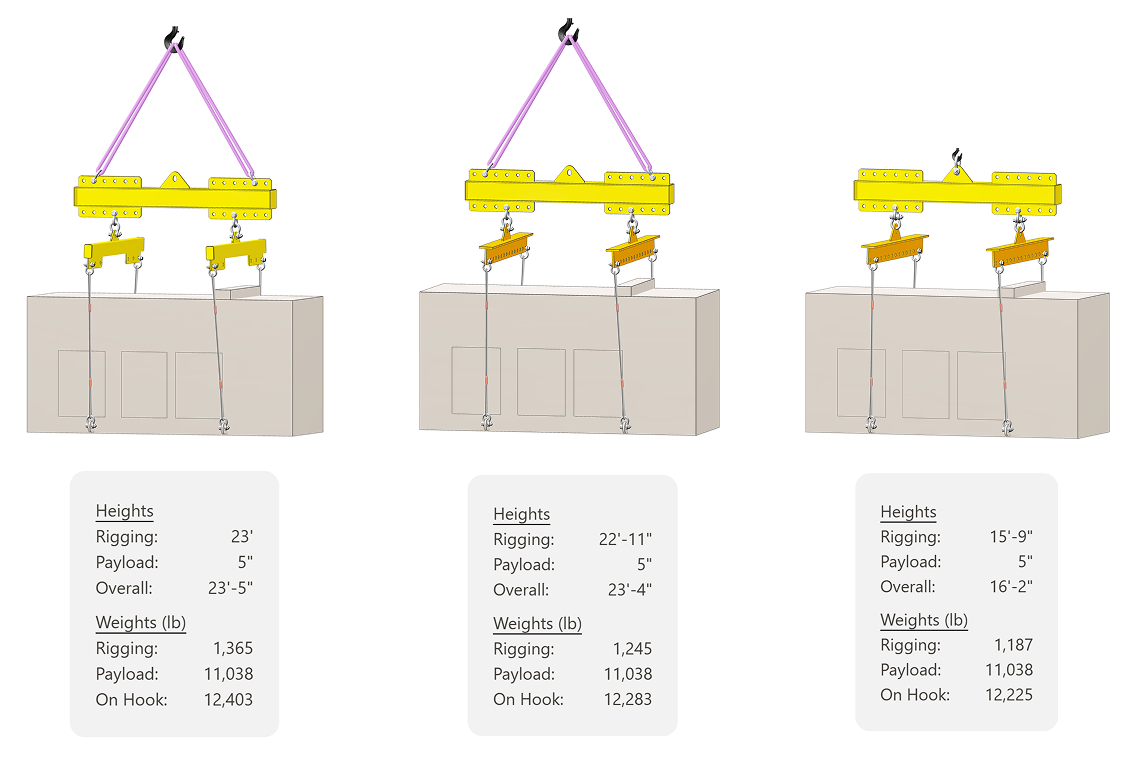
When it only takes a few minutes to create a rigging configuration in 3D, it allows for more time to investigate possible rigging options. In the example below, the summary panel is used to compare the trade-offs between overall rigging height and rigging weight.
Rigging Drawings
Overview
RigLab gives users a helpful starting point by providing a complete rigging table and typical views with dimensions, angles, and balloons. This starting template can then be customized as needed.
Customize
Drawings are fully customizable. The process for adding detail views, balloons, and dimensions is automated to a degree, yet allows for modification.